Paradox Converter: Batch Convert Paradox to Excel, DBF, CSV & More
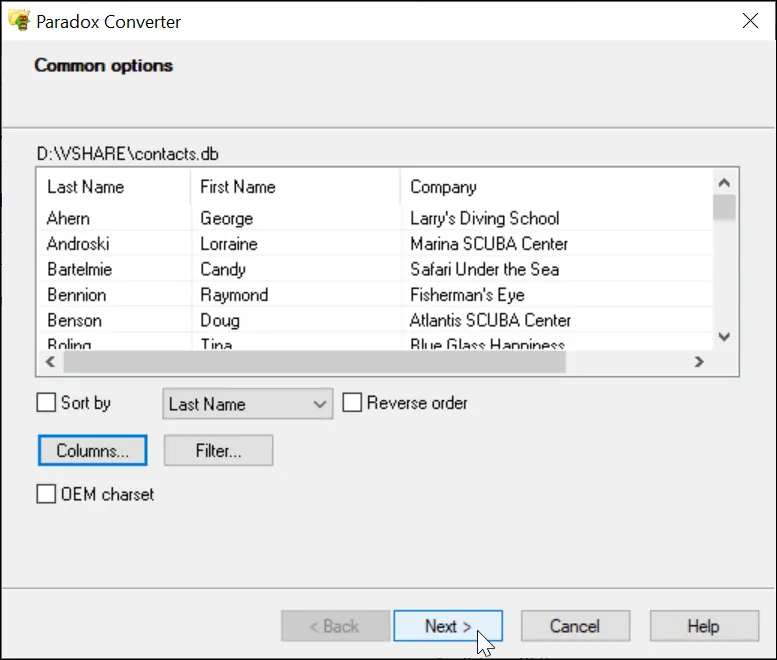
Convert Paradox (DB) files into DBF, Excel (XLS/XLSX), CSV, SQL (MySQL, SQL Server, Oracle), TXT, XML, RTF or HTML — one file or a whole folder at once.
Paradox Conversion Key Features
Batch Processing
So, you have more than one Paradox database to convert? Look no further, as Paradox Converter does the job quickly and silently. With the support for multiple databases to process, Paradox Converter is capable of converting dozens or even hundreds of DB files in 100% automatic mode. No questions asked, no harm done, the program intelligently transforms all your databases to the selected format or formats.
List of most popular conversions:
- Convert Paradox to DBF (dBase III/IV, Visual Foxpro)
- Convert Paradox to SQL
- Convert Paradox to XLS
- Convert Paradox to XLSX
- Convert Paradox to CSV
- Convert Paradox to XML
- Convert Paradox to TXT
- Convert Paradox to HTML
- Full Command Line support
Ingenious Flexibility
For more complex tasks more advanced methods are required. Paradox Converter offers command line support for scheduled conversion of databases, complex filters for partial transferring of data to new formats and flexible sorting for custom presentation of data.
Paradox Converter does not require external drivers for connection to databases (ODBC, BDE).
Works anywhere
The program runs on all versions of Windows from XP through Windows 11/10/8/7 and Server Editions (32/64-bit)
Frequently Asked Questions
Which formats can I convert Paradox files to?
Output targets include DBF (dBase III/IV, Visual FoxPro), Excel (XLS/XLSX), CSV, SQL for MySQL, SQL Server and Oracle, plus TXT, XML, RTF and HTML.
Do I need BDE or ODBC drivers to convert Paradox databases?
No driver setup is needed — conversions run without installing ODBC or BDE.
Can I convert many Paradox files at once?
Yes. Point it at a folder of DB files and it processes the whole batch without manual input.
Can I schedule conversion from the command line?
Yes. Full command line support lets you run scheduled conversions with filters and sorting.
Are my files uploaded anywhere during conversion?
No. Paradox Converter is desktop software: all files are processed on your computer.
Customer Reviews 2026
Yvonne Sutton, Australia
Start working with software right away, free of charge!
Download free trial version and convert your database files in seconds. No credit card or email required.
Registered users will receive all future versions and upgrades free, as well as virtually unlimited technical support.
